How to Build a List From Scratch In 5 Steps: Step #3
Welcome to Step #3!
Well done on making it to Step #3.
This step is a relatively easy one.
Creating a Thank You Page - What You Must Know!
This is a pretty straightforward task.
Your 'thank you page' needs to follow these 4 guidelines...
1. Thank the visitor for subscribing.
2. Tell them that their freebie has been sent to their email inbox.
3. Point them to an offer that you're selling!
4. All details should be above the fold, preferably.
That's it. That's all your 'thank you page' needs to do.
Why You Need a Thank You Page!
I've come across several opt in pages where after subscribing, you're immediately taken to an offer page.
When this happens, the subscriber has no idea what's going on... or why he/she is on an offer page.

You MUST confirm that their action hasn't been in vain... and you do that by telling them, "Thanks for Subscribing!"
This closes the loop. Don't panic. You can still point them to an offer on your thank you page.
The best way to learn here will be to look at a few examples. Lucky you, I went and took a bunch of screenshots to make things clearer.
Example #1
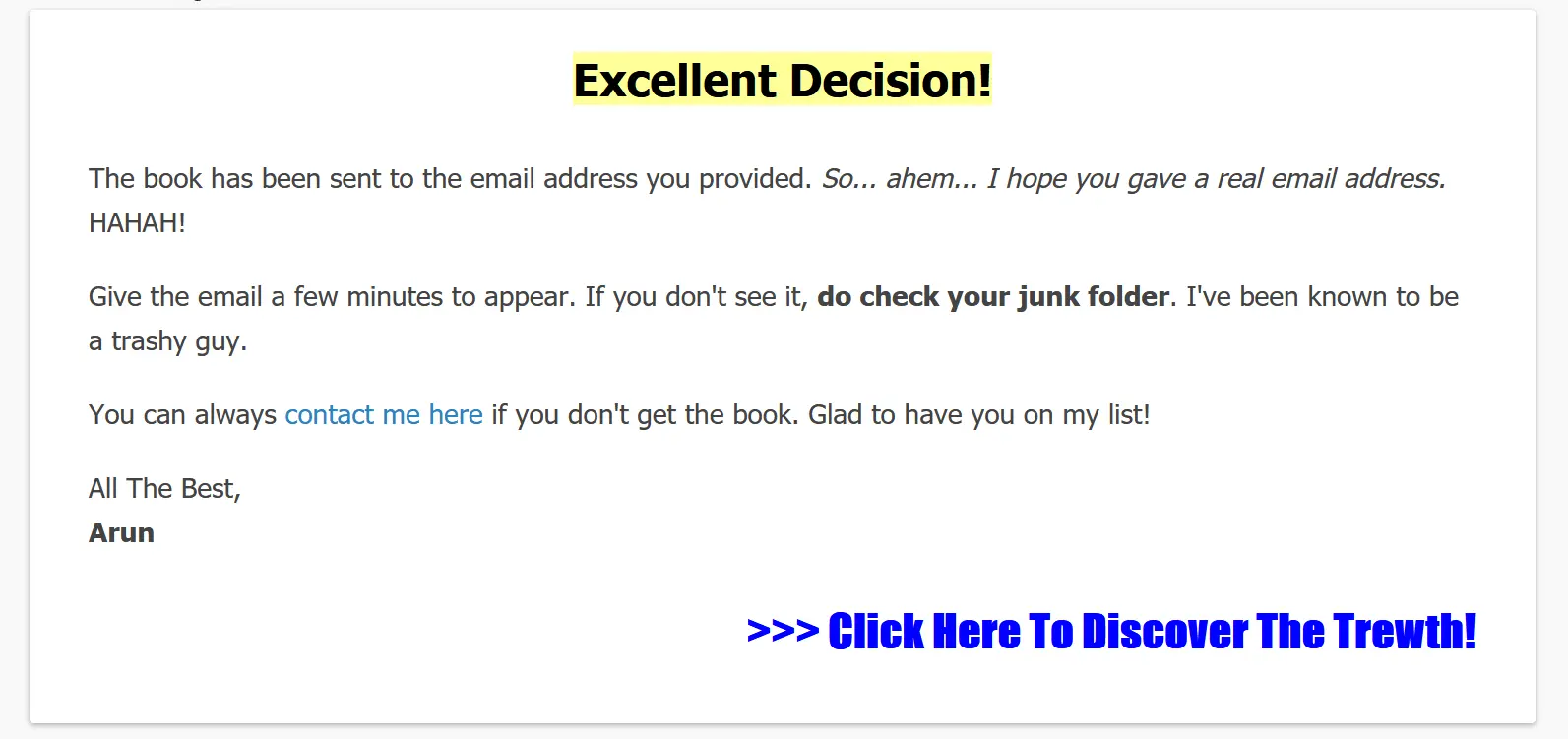
This is one of my thank you pages. You'll notice I said, "Excellent Decision!"
That's my way of saying thank you. Yes, I'm borderline arrogant, but it's my style and it works.
I also go on to say that the freebie (book) has been sent to their email. So that's confirmation that they're getting the freebie.
Next up, I mention that I "hope they gave a real email address". More irreverent wit here... ahem... I think.
But there's a very important point to note here!
NEVER SEND THE SUBSCRIBER STRAIGHT TO THE DOWNLOAD PAGE!
There are many clowns who will type fake email addresses just to test their luck.
If you send them straight to the download page, they'll access your freebie and you'll be stuck with a fake email address.
At the bottom my thank you page, you'll see a, ">>> Click Here To Discover The Trewth!"
This link is an affiliate link to Andie Brocklehurst's product.
Anyone who clicks on it will be taken to the sales page... and I know for a fact that people have bought his book and I've made commissions from it.
Does My 'Thank You Page' Meet the 4 Guidelines?
You bet it does!
Let's recap...
Your thank you page will have 4 guidelines...
1. Thank the visitor for subscribing.
2. Tell them that their freebie has been sent to their email inbox.
3. Point them to an offer that you're selling!
4. All details should be above the fold, preferably.
Yup! My thank you page does all of that. See, it's that simple!
Do note: You can always point the link on your thank you page to your own product. It doesn't have to only be an affiliate product.
I know I shouldn't have to say this, but some of you clueless souls may be wondering. So I have to be clear here.
Example #2
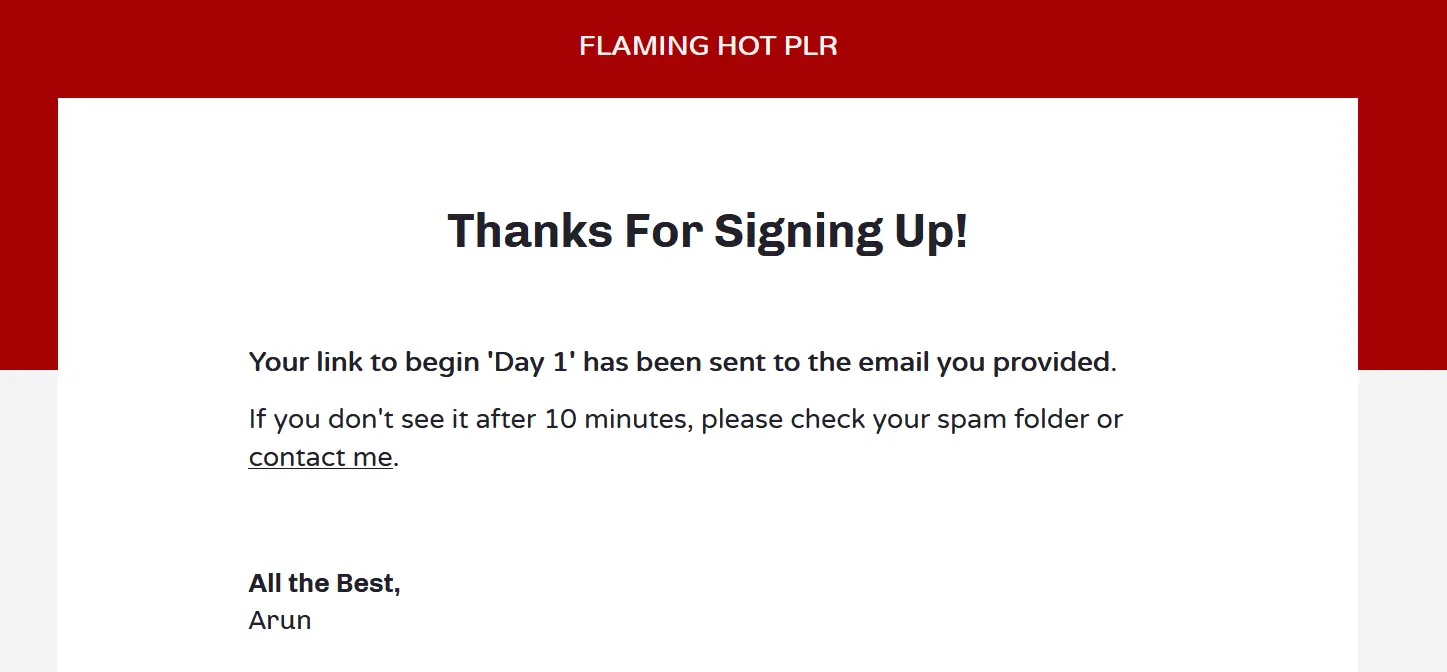
This is another one of my thank you pages. You'll notice that I broke one rule here.
There's no link to any product I'm promoting/selling.
There's a reason for this - everyone who signs up for this PLR training will end up on my list... and I promote PLR often.
So, I don't need to make any sales upfront here. Furthermore, PLR can become dated. So, I didn't want to have a link to PLR that gets old after a while.
Nevertheless, I did thank the subscriber and told them that their freebie was sent to them.
Your takeaway here: Exercise common sense and tailor the page to suit your needs.
Now let's look at other marketers' thank you pages....
Example #3
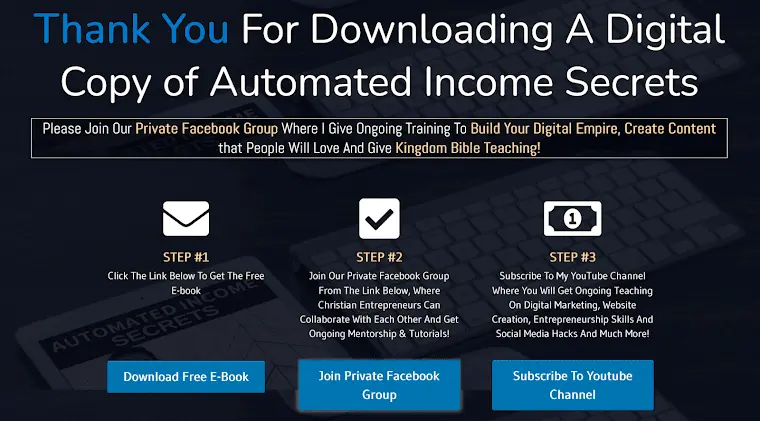
This page looks cool. You can download the freebie, join their Facebook group and subscribe to their YouTube channel.
All from one page! Fantastic, isn't it?
WRONG! It made one cardinal error!
I decided to be an ass clown and typed in a fake email address on the opt in page!
And was taken to this thank you page. Now I have the freebie and the marketer has nothing.
See... this is why you MUST never send the subscriber to the download page immediately.
If the marketer in this example had said that the freebie was sent to the subscriber's email inbox and replaced the 'Download Free Ebook' link with a link to a paid product, this page would have been a masterpiece!
Example #4
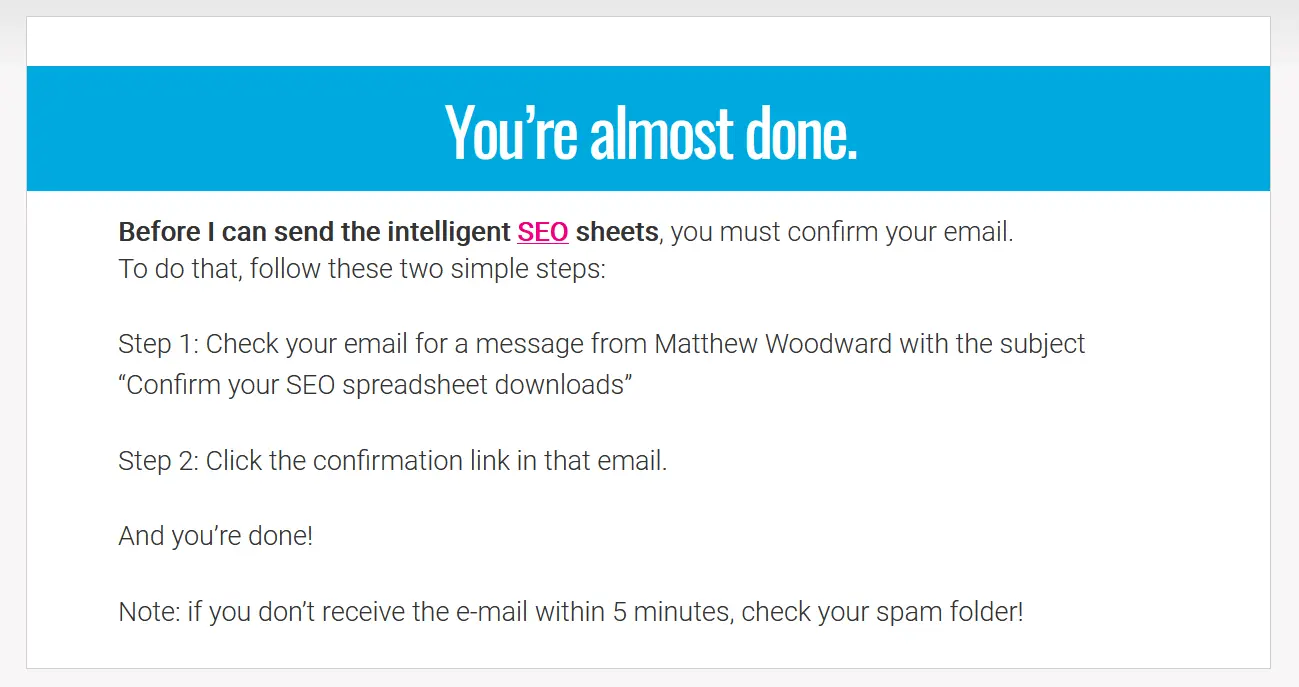
This is Matthew Woodward's thank you page. It's perfect.
Tells you exactly what you need to know and I think the 'SEO' link goes to his website or a paid product. Whatever it is, he nails all 4 guidelines.
Example #5
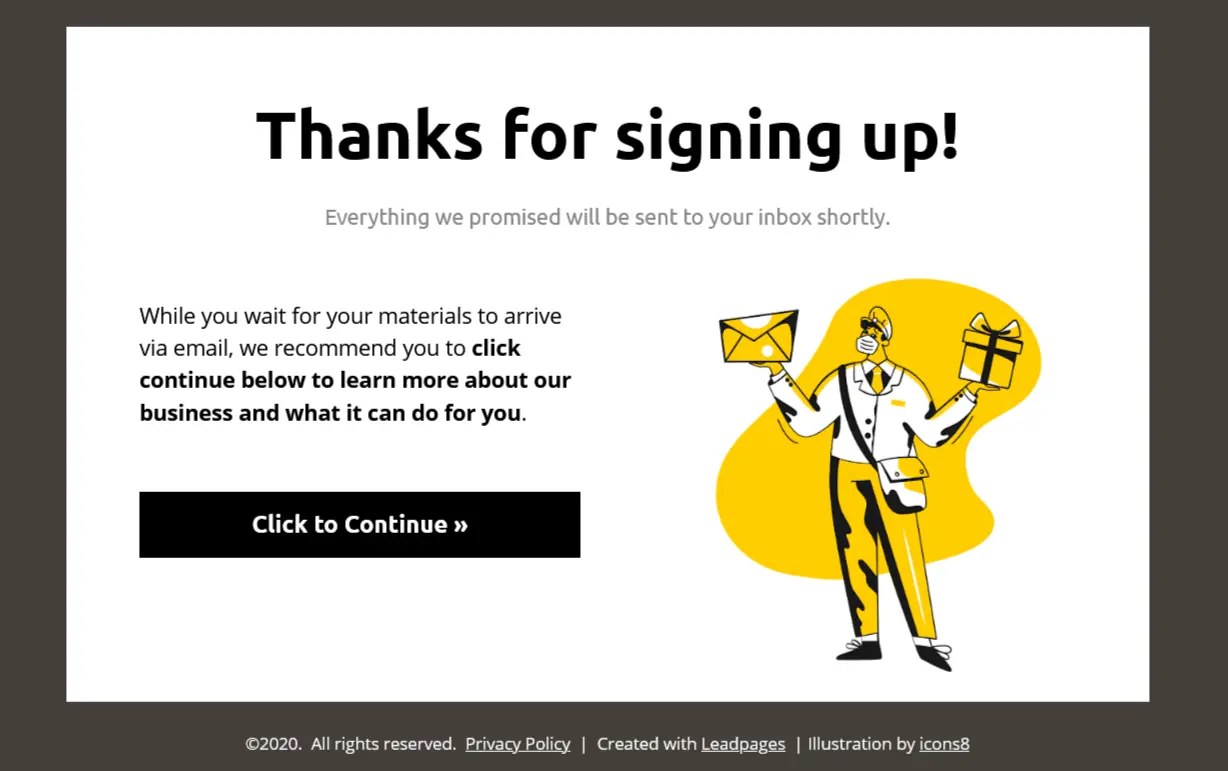
This is one of the thank you page templates in Leadpages. This too is perfect.
The 'Click to Continue' button can link to a product you're selling or an affiliate product.
Example #6
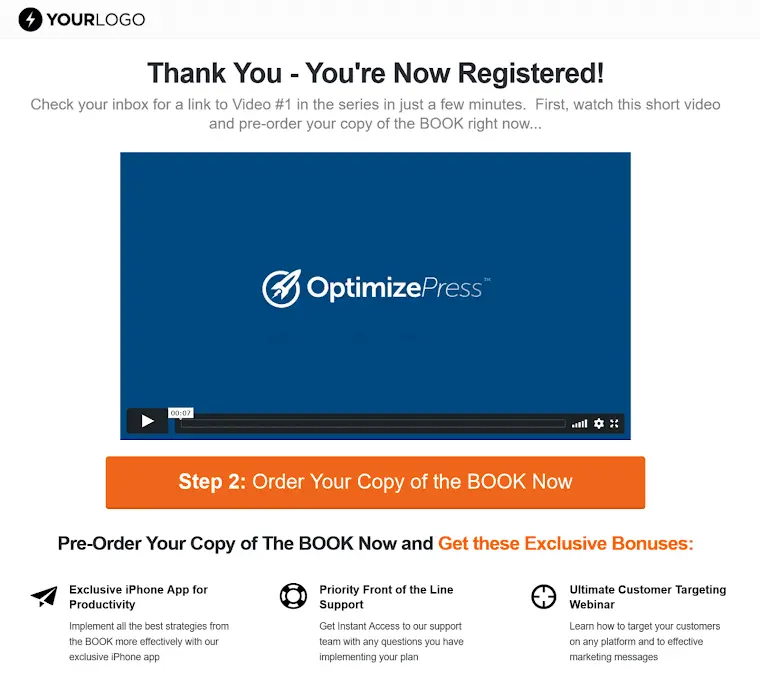
This is one of the thank you page templates in OptimizePress. Another awesome page that meets the criteria.
If you want a video on your thank you page, this is what it should look like.
Example #7
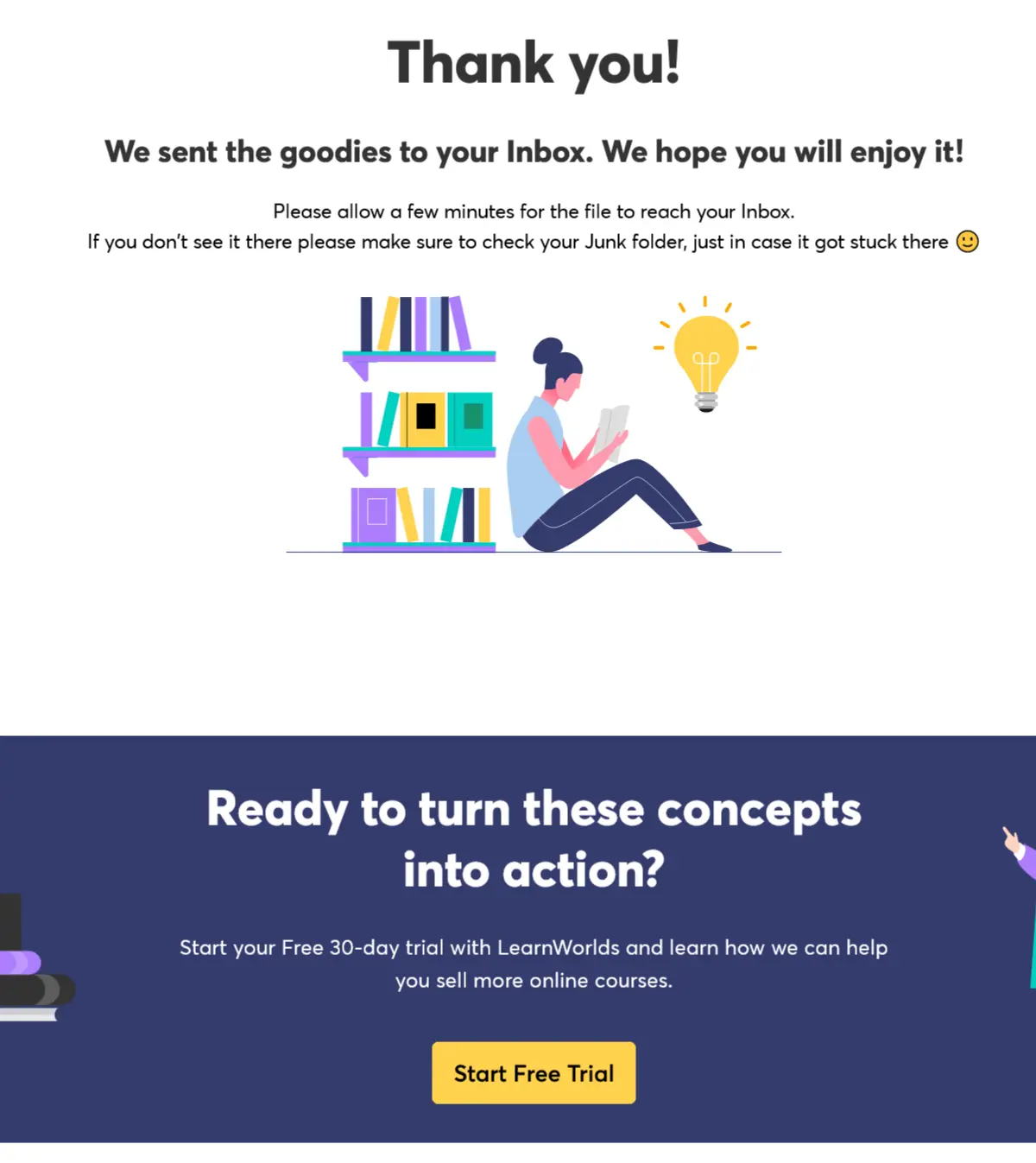
This is another marketer's thank you page.
It meets the criteria... tells you what you need to know and there's a link to start a free trial which will probably become a paid subscription later.
The only issue I have with this page is that the link to the free trial is below the fold. You need to do quite a bit of scrolling to see it.
Time to Create Your 'Thank You' Page!
By now, you should have a pretty good idea of what your 'thank you page' needs to have on it... and how it should look like.
So go ahead and create it.
Here's Where We Stand!
- You've created a freebie.
- You've created a landing page.
- You've added a headline.
- You've added a privacy policy page.
- You've created a thank you page.
Well done! We're coming along just fine. I'll see you in Step #4...
Copyright © Marketing With Arun. All Rights Reserved